Whether you've got stories to tell or art to create, there's a place for you here.

Online Course Creators
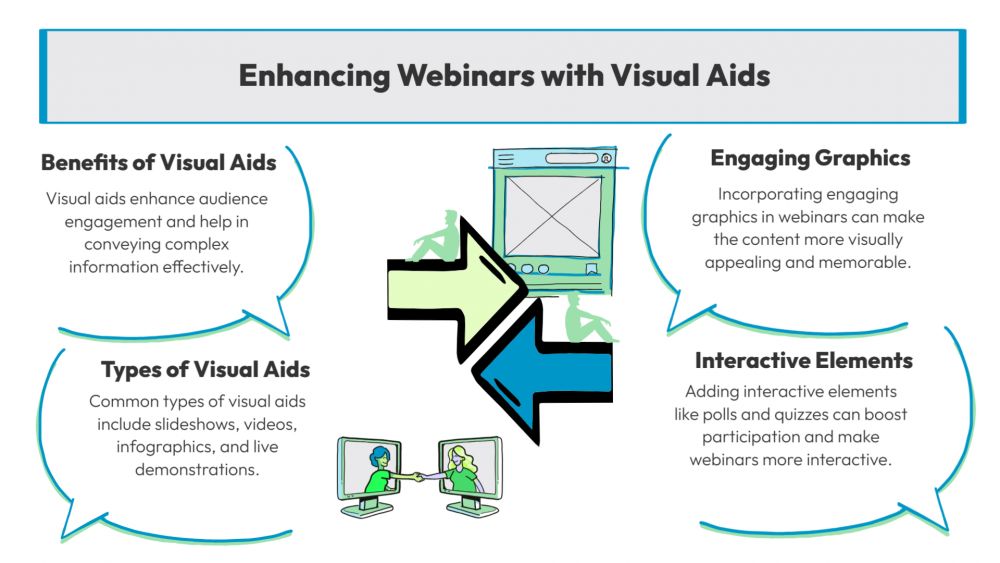
Enhancing Webinars with Visual Aids
-
ARAnshu Raj- Founder & CEO, Drawify
-
Dec 19, 2025 5 min read
Webinars are now one of the most effective ways to teach, onboard, sell, and establish authority online. Yet every presenter battles the same issue: keeping the audience engaged. With shrinking attention spans, constant multitasking, and the endless pull of notifications, text-heavy slides simply don’t stand a chance.
That’s why visual aids—especially warm, hand-drawn illustrations—are essential. And with Drawify, adding impactful, engaging visuals to your webinars becomes effortless.
The secret to keeping your audience genuinely engaged lies in how you present your ideas. And that's exactly where visual aids come into play, particularly when you're working with tools like Drawify that transform ordinary presentations into something people actually want to watch.
Why Visual Aids Matter More Than You Think:
Think about the last time you learned something new. Chances are, it stuck with you better when someone showed you, not just told you. There's actual science behind this—our brains process visual information thousands of times faster than text. When you're hosting a webinar, you're competing with every distraction in your attendees' environment. Visual aids aren't just nice to have; they're essential for cutting through the noise.
The challenge with traditional webinars is that they often rely too heavily on talking heads and text-heavy slides. People start zoning out within minutes. But when you introduce dynamic visual elements—diagrams that build themselves, illustrations that highlight key points, animations that guide attention—suddenly you've got a completely different experience.
What Makes Drawify Different:
Drawify brings something refreshing to the table. Instead of wrestling with complicated design software or spending hours trying to make graphics work, you get a platform that's actually built for creating visual content that flows naturally during presentations.
The tool excels at creating those sketch-style animations and whiteboard-type visuals that have become incredibly popular in explainer videos and presentations. You know the effect—where it looks like someone's drawing concepts in real-time? That's the kind of engaging visual storytelling that keeps people watching.
What sets it apart is the balance between simplicity and capability. You don't need to be a graphic designer to create professional-looking visual aids. The interface guides you through the process, offering templates and elements that you can customize to match your specific content and branding.
Practical Ways to Use Visual Aids in Your Webinars:
Start with a Visual Hook:
Those first thirty seconds of your webinar are crucial. Instead of diving straight into introductions, open with a compelling visual that frames what you're about to discuss. Maybe it's an animated statistic that reveals the problem you're solving, or an illustrated scenario that your audience immediately relates to.
Break Down Complex Concepts:
Here's where visual aids really shine. When you're explaining something complicated—whether it's a process, a framework, or technical information—step-by-step visual breakdowns make all the difference. Rather than overwhelming people with a complete diagram, reveal elements progressively as you explain each part.
Use Visual Metaphors:
Sometimes the best way to explain an abstract concept is through visual comparison. Creating simple illustrated metaphors helps your audience grasp ideas quickly. These don't need to be elaborate—often the simplest visuals are the most effective.
Highlight Key Takeaways:
As you move through your presentation, visual callouts can emphasize the points you really want people to remember. When a key statistic or principle appears visually distinct from the rest of your content, it signals to your audience: "This is important."
Making Your Visuals Actually Work:
Creating visual aids is one thing; using them effectively is another. The goal isn't to dazzle people with fancy graphics but to support and enhance your message.
Keep text minimal on your visuals. If you're putting full sentences on screen, you're basically competing with yourself—people will read instead of listening to you. Use visuals to complement what you're saying, not duplicate it.
Timing matters enormously. Introduce visuals when they're relevant to what you're discussing, not before or after. This seems obvious, but it's surprisingly easy to get the synchronization wrong when you're managing a live presentation.
Color and contrast serve practical purposes beyond aesthetics. Use them to create hierarchy and guide attention. Your audience should instinctively know where to look without conscious effort.
The Technical Side of Things:
Let's talk logistics for a moment. When you're incorporating tools like Drawify into your webinars, you need to think about how everything fits together technically.
Most webinar platforms allow screen sharing, which is your primary method for displaying visual content. Test your setup beforehand—and I mean actually test it, not just mentally rehearse. Check how your visuals appear at different screen sizes, because your attendees won't all be viewing on the same devices.
Consider creating your visual aids as separate segments that you can control independently. This gives you flexibility during the presentation to adapt based on how the session flows and what questions come up.
Engaging Your Audience Through Visuals:
Interactive elements take visual aids to another level. When you incorporate visuals that respond to audience input—whether that's polls that display results graphically, live diagrams that build based on participant suggestions, or visual breakdowns of Q&A topics—you transform passive viewers into active participants.
Real-time annotation capabilities let you draw attention to specific elements as you discuss them. Circling key points, drawing arrows, or adding quick notes makes your presentation feel more personal and responsive rather than pre-packaged.
Common Mistakes to Avoid:
Too many presenters fall into the trap of visual overload. Just because you can add animations and graphics doesn't mean you should fill every moment with them. Give your audience breathing room. Sometimes the most powerful thing you can show is nothing—letting an important point land before moving to the next visual.
Inconsistent visual style creates cognitive friction. When your graphics jump between different aesthetics, it distracts from your message. Maintain cohesive styling throughout your presentation.
Don't forget about accessibility. Ensure sufficient contrast, avoid relying solely on color to convey information, and provide verbal descriptions of important visual elements for those who might have difficulty seeing them clearly.
Building a Visual Content Library:
Here's a time-saving approach: as you create visual aids for webinars, build them modularly. Develop a library of visual elements—icons, diagrams, templates—that you can mix, match, and customize for different presentations. This dramatically reduces prep time for future webinars while maintaining quality and consistency.
With Drawify, you can save and reuse elements across projects, which makes this approach particularly practical. The investment you make in creating strong visual aids compounds over time.
Measuring Visual Impact:
How do you know if your visual aids are actually working? Pay attention to engagement metrics. When you introduce strong visual elements, you typically see drop-off rates decrease. People stick around longer.
Monitor questions and comments during your webinar. When your visuals effectively clarify concepts, you'll notice fewer basic clarification questions and more advanced, engaged inquiries.
Post-webinar surveys can directly ask about the presentation's clarity and engagement. This feedback helps you refine your visual approach for next time.
The Future of Visual Webinar Content:
The bar for webinar quality keeps rising. Audiences expect more dynamic, visually engaging experiences, and tools like Drawify make meeting those expectations accessible even if you don't have a dedicated design team.
The most successful webinars moving forward will be those that treat visual communication as integral to the experience, not supplementary. They'll use visuals not just to decorate their message but to fundamentally enhance how information is conveyed and retained. For the broader method behind structuring ideas and messages visually, see our guide to visual storytelling with Drawify.
If you're ready to elevate your webinars with better visual aids, start small. Choose your next presentation and identify three key moments where visual aids could make a meaningful difference. Focus on those first rather than trying to visually enhance everything at once.
Experiment with different types of visuals to see what resonates with your specific audience. Some groups respond strongly to data visualizations, others to illustrated concepts, and others to animated processes. There's no one-size-fits-all approach.
The beautiful thing about improving your visual presentation is that the benefits extend beyond just webinars. The skills and assets you develop translate directly to recorded videos, in-person presentations, training materials, and marketing content.
Your audience deserves presentations that respect their time and attention. By thoughtfully incorporating visual aids that clarify, engage, and enhance your message, you create webinar experiences that people actually look forward to attending—and more importantly, remember long after they've ended.
Post This Article to Your Socials
Popular Topics
- Events
- Workshops
- Visual Storytelling
- How to video
- Communities
- Sketchnoting
- Templates
- UX Designers
- Agile Professionals
- Product Managers
- Freelance Graphic Designers
- Creative Tech Enthusiasts
- Online Course Creators
- Social Media Content Creator
- Creative Agency Owners
- Marketing Professionals
- EdTech Professionals
- Scrum Masters
Similar Articles
Come, Be Part of Something Special
-
Got ideas that need visual superpowers?
Jump in and start creating presentations and communications that people actually remember.
Sign In -
Are you an artist ready to grow?
Join our Drawifier family and focus on what you love most - creating art that matters.
Become a Drawifier
Get visualisation tips every week
Subscribe to the Drawify Newsletter, and feed your creativity with visualisation tips and techniques, as well as the latest Drawify workshops, news and resources.