Whether you've got stories to tell or art to create, there's a place for you here.

Freelance Graphic Designers
Creating Custom Asset Libraries
-
SDSwarnali Das- Co-founder, Chief Product Officer, Drawify
-
Dec 19, 2025 5 min read
So, let’s be honest here. You know, when you’re in the zone working on your presentations, reports, and other marketing materials, I don’t know about you, but I don’t have a lot of use for getting stuck searching for some random picture you used three weeks ago.
We have all been there. You know it exists. Perhaps it is at the end of a folder marked “Graphics_Final_FINAL_v3.” Perhaps you have downloaded it from five different sources and no longer have any idea which source it came from. It doesn’t matter. Your creative process just came to an end.
It’s exactly what makes having custom asset libraries at Drawify such a game-changer!
So, What’s a Custom Asset Library:
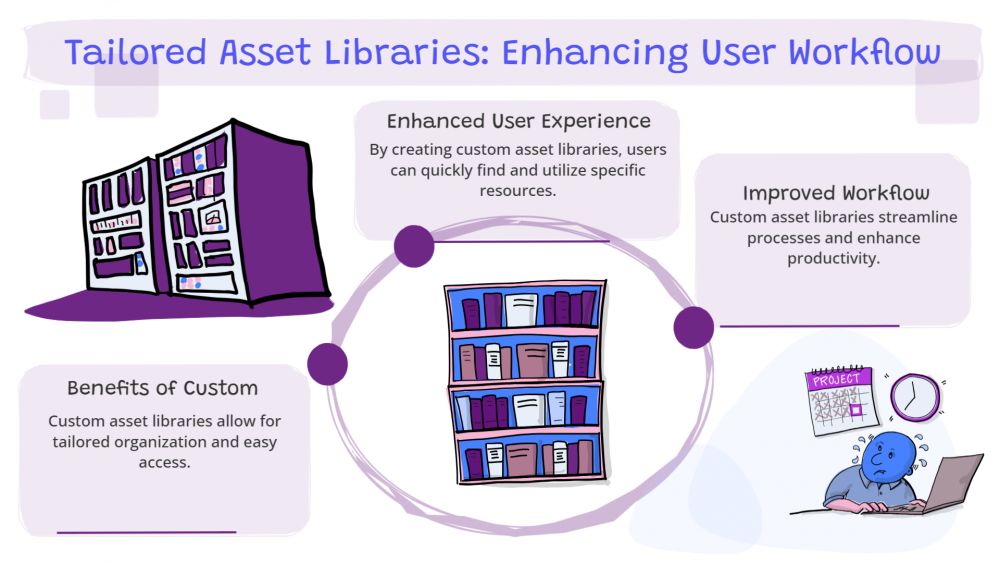
It’s like your own set of illustrations, icons, characters, and scenes, all arranged just the way you want them. You can organize things any way that works best for what you’re doing:
- By theme – Education materials, market images, and user wireframes
- By brand – Your colors, your style, your characters
- By project – Decks for clients, learning materials, product releases
Once it’s set up and configured properly, literally everything you want or need is at your fingertips — all with just one click.

Why Bother Making Your Own Library:
You’ll Actually Save Time:
Rather than having to scroll endlessly through directories or start from ground zero each and every time, your set of tools is literally at your fingertips. It’s like meal prep, but for your creative projects.
Your Stuff Will Actually Look Consistent:
You know how some brands just totally have an aesthetic, and it works so well together? That’s not magic—it’s theory. When you’re using consistent illustrations, colours, and imagery, it all belongs. That’s something your audience will pick up on, no matter how hard they try to put a finger on what it is.
Your Team Won’t Drive You Crazy:
And if you’re working on a project with others, it’s a big deal that shared libraries enable everyone to be working with the same thing. The end of “Wait, what version of the logo are we using again?” conversations. Industry learning and creative departments will be big winners.
You Can Create Content Faster:
Whether it’s creating presentations, slide casts, or user flow diagrams, having your graphics pre-organized will significantly reduce production schedules. More time creating and less time searching.
Everything Looks Like It Belongs Together:
Having your characters, arrows, background images, and shapes consistent from project to project makes your audience familiar with your style. It develops trust.
How to Actually Set This Up:
First, Look for Your Favorite Styles:
Just browse through some illustrations on Drawify and pick up the ones that appeal to your vibe. It doesn’t have to be so serious. Just pick.
Create Your First Library:
Now, click on “Add to Library,” and begin developing it. Below are some concepts to get you rolling:
- Branding basics
- Presentation graphics
- Workshop materials
- Training visuals
- Social media hubs
Get Organized (Trust Me, Future You Will Thank You):
Create folders based on types of assets:
- Arrows and connectors
- Characters & emotions
- Business icons
- Background scenes
- Device mock-ups
Trust me, organizing for five minutes will save you hours of aggravation down the road.
Make It Match Your Brand:
With Drawify’s editing capabilities, you can refine colours and styles so that everything works with your brand. Save these changes directly to your library so you have assets that are truly yours.
Share If You’re Working with Others:
If you have a team, share your library so everyone can work from the same playbook. That’s consistency for the win.
Practical Tips That Actually Work:
Don’t Create One Giant Mess: Multiple specialized libraries are better than having one enormous folder with everything.
Keep Your Style Consistent: Choose a couple of Drawify illustrators with compatible styles to avoid a messy look.
Give Stuff a Name So You Can Find It: “Arrow Bold Red” or “Manager Character Neutral” beats “img_0047” every time.
Keep It Fresh: Remove what you don’t use and add new visuals occasionally to keep things current.
Use Those Color Tools: Consistent colors help your documents integrate nicely with your brand.
Who Gets the Most Out of This:
Teachers and Trainers: Lesson materials created faster and more effectively.
Agencies & Consultants: Professional client presentations without eating up your entire week.
Marketers: Campaigns, social posts, and branding materials that stay on brand.
UX & Product Teams: Diagrams, wireframes, and feature demos with a clear story.
Freelancers & Solo Creators: Build once, reuse across clients, and work efficiently.
Making your own asset libraries isn’t complicated—it’s just common sense. You’ll work faster, your designs will look better, and you’ll waste less time on boring tasks. If you’re tired of the graphics library treasure hunt and want to enjoy creating again, building your own Drawify library might be the best move you make.
Post This Article to Your Socials
Popular Topics
- Events
- Workshops
- Visual Storytelling
- How to video
- Communities
- Sketchnoting
- Templates
- UX Designers
- Agile Professionals
- Product Managers
- Freelance Graphic Designers
- Creative Tech Enthusiasts
- Online Course Creators
- Social Media Content Creator
- Creative Agency Owners
- Marketing Professionals
- EdTech Professionals
- Scrum Masters
Similar Articles
Come, Be Part of Something Special
-
Got ideas that need visual superpowers?
Jump in and start creating presentations and communications that people actually remember.
Sign In -
Are you an artist ready to grow?
Join our Drawifier family and focus on what you love most - creating art that matters.
Become a Drawifier
Get visualisation tips every week
Subscribe to the Drawify Newsletter, and feed your creativity with visualisation tips and techniques, as well as the latest Drawify workshops, news and resources.