Whether you've got stories to tell or art to create, there's a place for you here.

Marketing Professionals
Drawify Strategies for Lead Generation Visuals
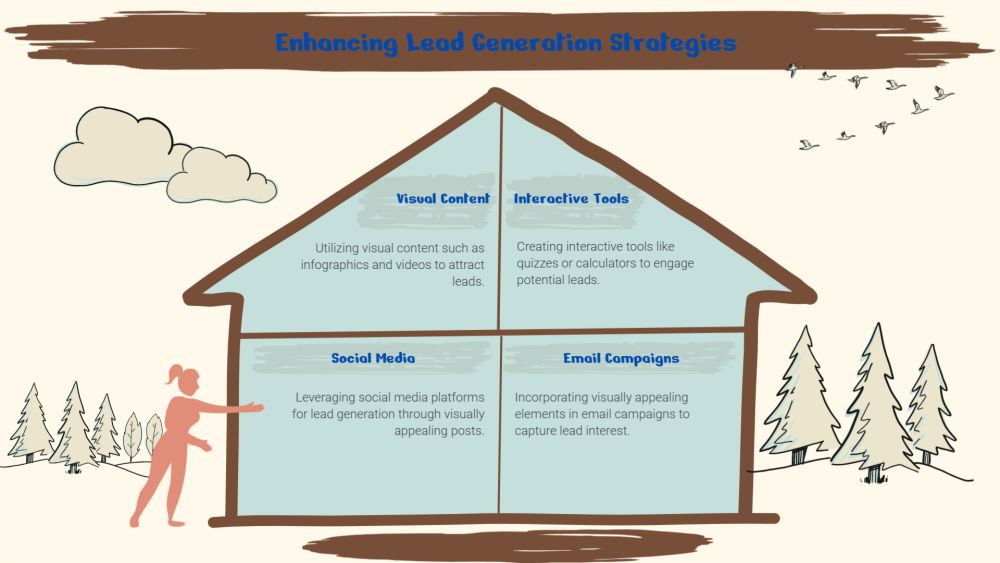
-
SDSwarnali Das- Co-founder, Chief Product Officer, drawify
-
Dec 19, 2025 5 min read
In today's crowded digital landscape, capturing attention and converting visitors into leads feels harder than ever. You've got only a few seconds to make an impression before someone scrolls past your content. That's where visual content becomes your secret weapon—and tools like Drawify change the game for marketers who want to stand out without breaking the bank or investing weeks in design school.
Let me walk you through some pragmatic steps on how to use Drawify to create efficient visuals for lead generation.
Why Visual Content Matters in Lead Generation:
So, let's talk about why these matters before we dive into the how-to. Studies consistently show that content with relevant images gets significantly more views than text-only content. But it is not all about getting eyeballs; it is actually about converting those views into leads.
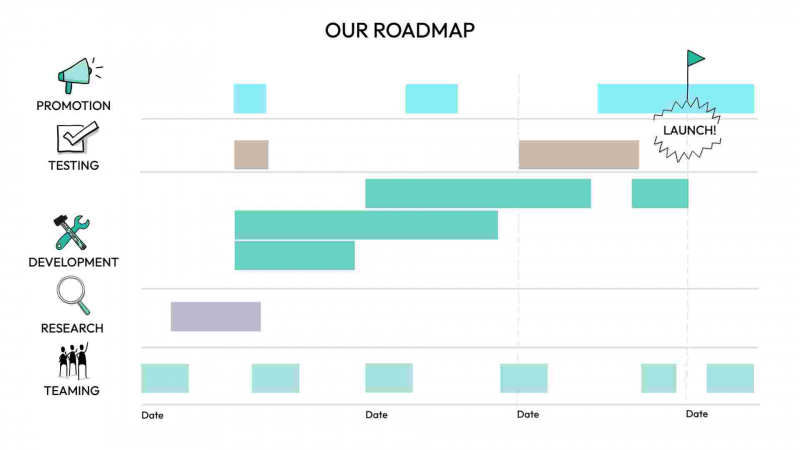
Visuals will help you:
- Break through the noise in busy social feeds.
- Summarize complex ideas quickly and memorably.
- Create emotional bonds in your audience.
- Increase the perceived value of your offers.
- Increase brand recognition and credibility.
The challenge? Until recently, great visuals meant having to contract expensive designers or to wrestle for hours with complicated software. Drawify offers a middle path: professional-looking graphics without the professional price tag or learning curve.
Strategy 1: Develop Irresistible Lead Magnets:
Your lead magnet is very often the first proper value exchange between you and a prospect. A boring PDF checklist? That's not going to excite anyone. But a beautifully designed visual guide? Now we're talking.
Use Drawify to make visual lead magnets such as infographics, one-page guides, or illustrated checklists. It's all about making something that people actually want to download and share. So think about the common questions your audience will ask, and turn those answers into clean, scannable visuals with icons, charts, and strategic colour use.
For example, if you're a fitness coach, instead of sending an overly wordy meal plan, send in a colourful visual meal planner complete with food icons and portion guides. If you're in B2B software, take your "10 Tips for Better Productivity" and turn it into an infographic that companies will actually want to print and post in their offices.
Strategy 2: Design Scroll-Stopping Social Media Graphics:
Social media's where most leads first discover your brand, but it's also incredibly noisy. Your visuals need to make people stop mid-scroll and think, "I need to know more about this."
With Drawify, it's easy to make templates for recurring content types—quote graphics, tip cards, mini-tutorials, or before-and-after comparisons. The trick is to maintain visual consistency while keeping each piece fresh enough to capture attention.
Some tactics that work great are to use bold, contrasting colours that align with your branding. Incorporate faces or directional cues that draw the eye toward your call-to-action. Add just enough text to pique curiosity without overwhelming the viewer. And always, always include a clear next step, whether that's "Link in bio," "Comment below," or "DM us for details."
Strategy 3: Improve Your Landing Pages with Custom Graphics:
Your landing page is where it happens—where browsers turn into subscribers or customers. But walls of text just don't convert. Strategic visuals guide visitors through your page and reinforce your message at every step.
Use Drawify to create bespoke graphics that illustrate your product benefits, showcase customer success stories, or visualize your process. Icons and illustrations often work better than stock photos because they feel more intentional and can be perfectly tailored to your message.
Consider designing an illustration of your value proposition right at the top of the page. If you offer a three-step process, design three connected graphics that walk people through it. If you have testimonials, pair them with illustrated avatars or simple graphics that depict key benefits customers mentioned.
Strategy 4: Establish Credibility with Professional Presentation Graphics:
Whether you are hosting webinars, creating YouTube videos, or sharing your slide decks, professional-looking presentation graphics help to establish credibility and keep your audience engaged.
Drawify makes it easy to create consistent, branded presentation materials without the typical time investment. You can design slide backgrounds that aren't boring, data visualizations that actually make sense at a glance, and sets of icons that can illustrate concepts throughout your presentation.
The goal isn’t to be fancy for the sake of being fancy; it’s to reduce friction in understanding. When your visuals clearly support your message, people can focus on what you’re saying, not try to decipher a bunch of cluttered slides or confusing charts.
Strategy 5: Establish a Consistent Visual Brand Identity:
Here's what many marketers forget: consistency breeds trust, and trust breeds leads. When someone sees your content enough, and recognizes it instantly, you've built something special: brand equity.
Use Drawify to establish and maintain a consistent visual language across all your lead generation efforts. That means selecting a color palette and sticking to it, picking out a few key fonts for different purposes, and developing a style for your graphics—whether that's minimalist line drawings, bold flat design, or something uniquely yours.
Create templates for your most common content types so you're never starting from scratch. This doesn't mean everything looks identical, but there should be a clear family resemblance. When someone scrolls through your Instagram, visits your website, and downloads your lead magnet, they should feel like it all comes from the same trusted source.
Strategy 6: A/B Test Your Visual Approaches:
Not every visual strategy works equally well for your specific audience. The beauty of tools like Drawify is that you can create a number of variations and test what resonates.
Vary colour schemes, layout, style of illustration, and amount of text. Test if your audience responds more favourably to photographs, illustrations, or abstract graphics. Try different visual metaphors for the same concept.
Follow what lead magnets get the most downloads, what social posts drive the most engagement, and what kind of landing page design converts at the highest rates. Let the data guide your visual strategy instead of assumptions about what “should” work.
Tips to Get You Started:
- Start small if you feel like it's overwhelming. Choose one thing off this list to focus on—one thing you're going to do really well before you move on to the other.
- Prioritize clarity over complexity. The best visuals in lead generation communicate one clear idea with ease without trying to cram everything into one graphic.
- Remember, you don't have to be a formally educated designer. You need to know who your audience is, have a clear message, and use tools like Drawify to bring that vision to life with professional polish.
To wrap the content, visual content is no longer a nice-to-have; it's a must-have for effective lead generation. The good news is that professional creation of graphics is more accessible than ever, and Drawify puts those capabilities in your hands without requiring a design degree or massive budget. Start putting these methods into effect today. Create visuals that stop the scroll, build trust, and naturally guide prospects to become leads. Your audience is visual—your marketing should be too. What visual piece of content will you develop first? The leads are waiting.
Post This Article to Your Socials
Popular Topics
- Events
- Workshops
- Visual Storytelling
- How to video
- Communities
- Sketchnoting
- Templates
- UX Designers
- Agile Professionals
- Product Managers
- Freelance Graphic Designers
- Creative Tech Enthusiasts
- Online Course Creators
- Social Media Content Creator
- Creative Agency Owners
- Marketing Professionals
- EdTech Professionals
- Scrum Masters
Similar Articles
Come, Be Part of Something Special
-
Got ideas that need visual superpowers?
Jump in and start creating presentations and communications that people actually remember.
Sign In -
Are you an artist ready to grow?
Join our Drawifier family and focus on what you love most - creating art that matters.
Become a Drawifier
Get visualisation tips every week
Subscribe to the Drawify Newsletter, and feed your creativity with visualisation tips and techniques, as well as the latest Drawify workshops, news and resources.